90 example photos
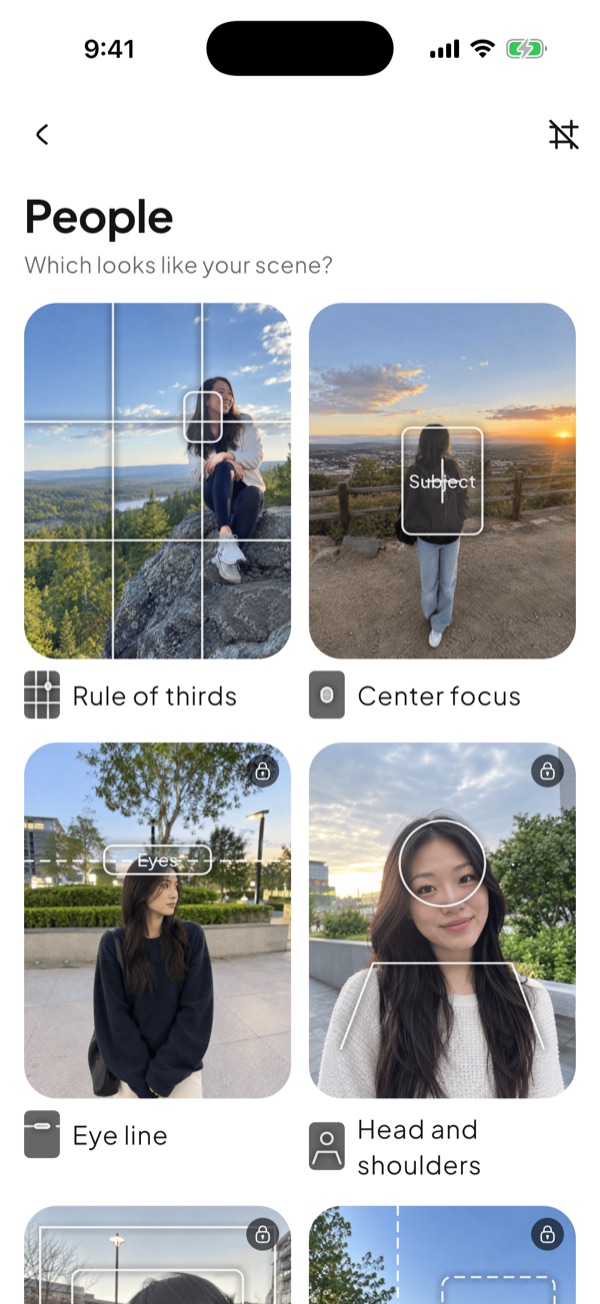
Every guide is shown on a real photo of what you shoot: people, food, scenery, city, pets or cafes. See the result before you take the shot.
Composition camera for beginners
Pick what you shoot, follow a live guide, add a look you love. Beginner Cam teaches composition right inside the camera, one shot at a time.
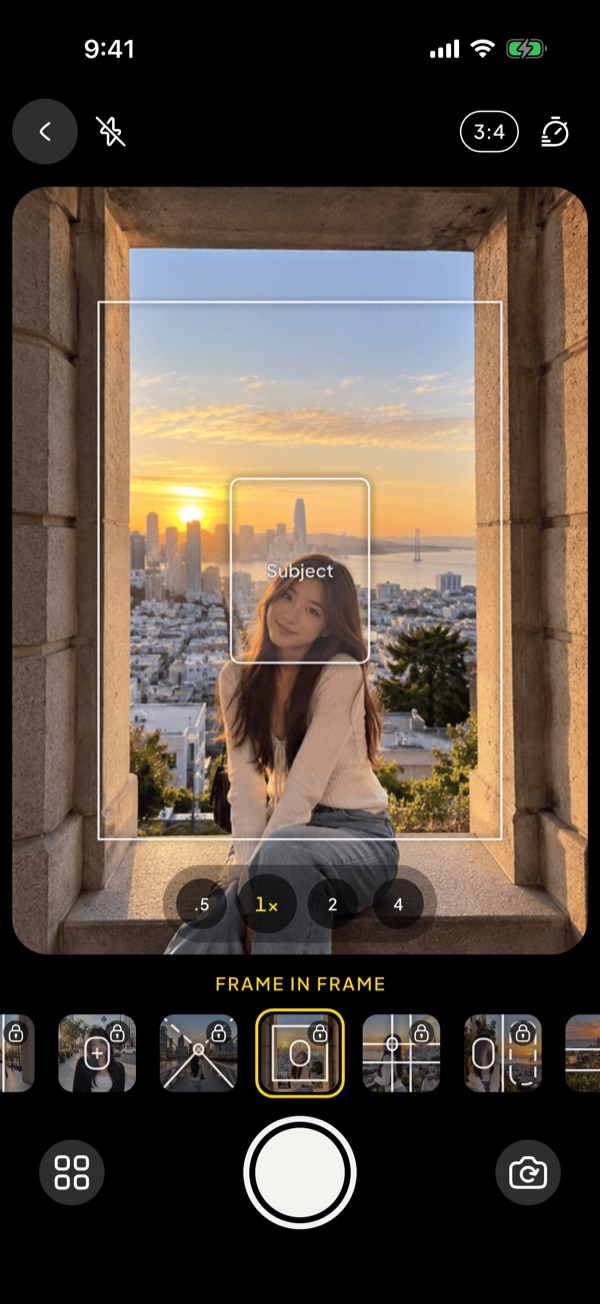
We've all watched the "3 tips for better photos" videos. Then we try it ourselves and… nope. Beginner Cam puts the tips right in your camera.
How it works
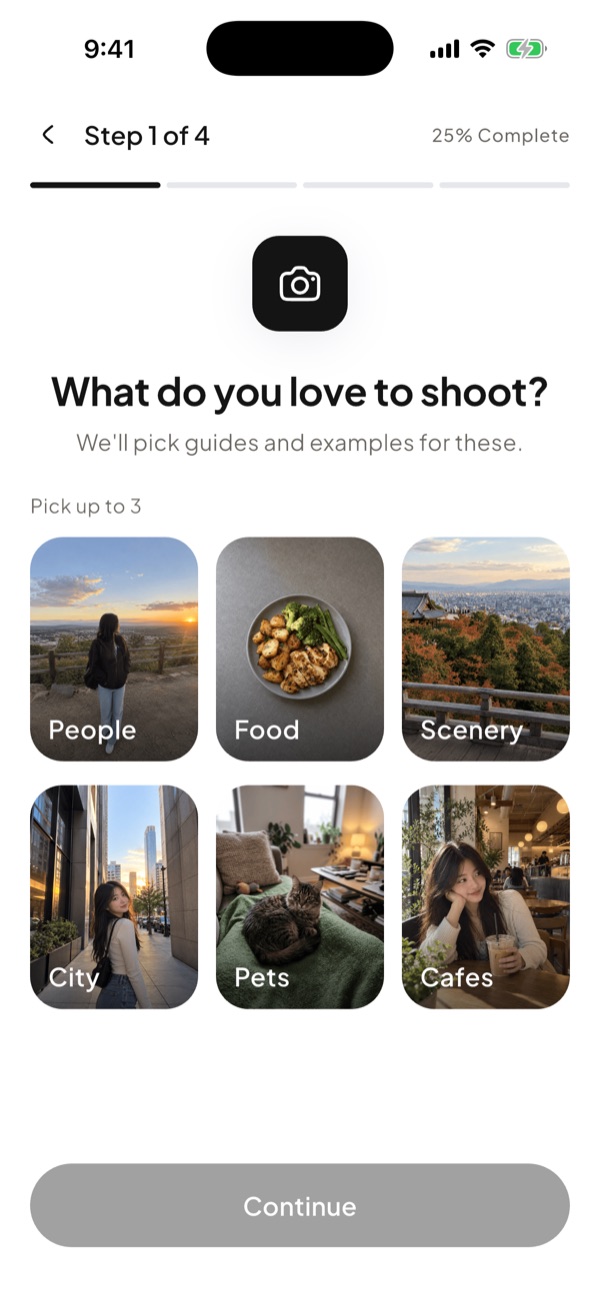
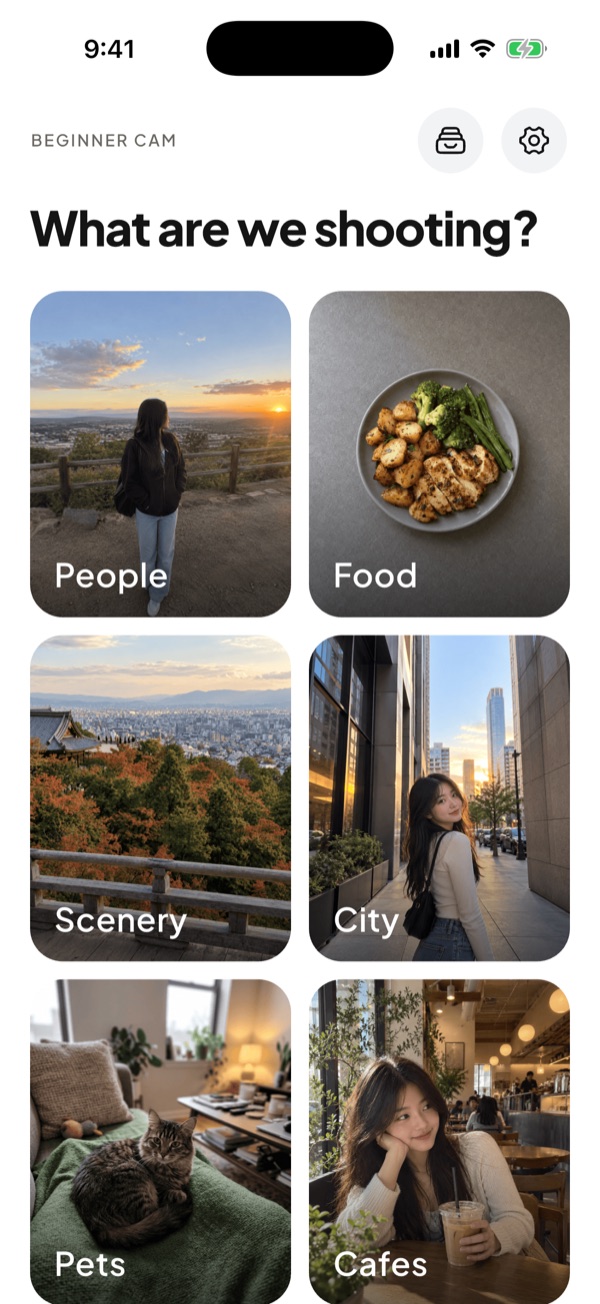
People, food, scenery, city, pets or cafes. Each comes with its own 15 guides and example photos, easiest first.
The guide sits right on the live camera. Put your subject in the box and press the shutter.
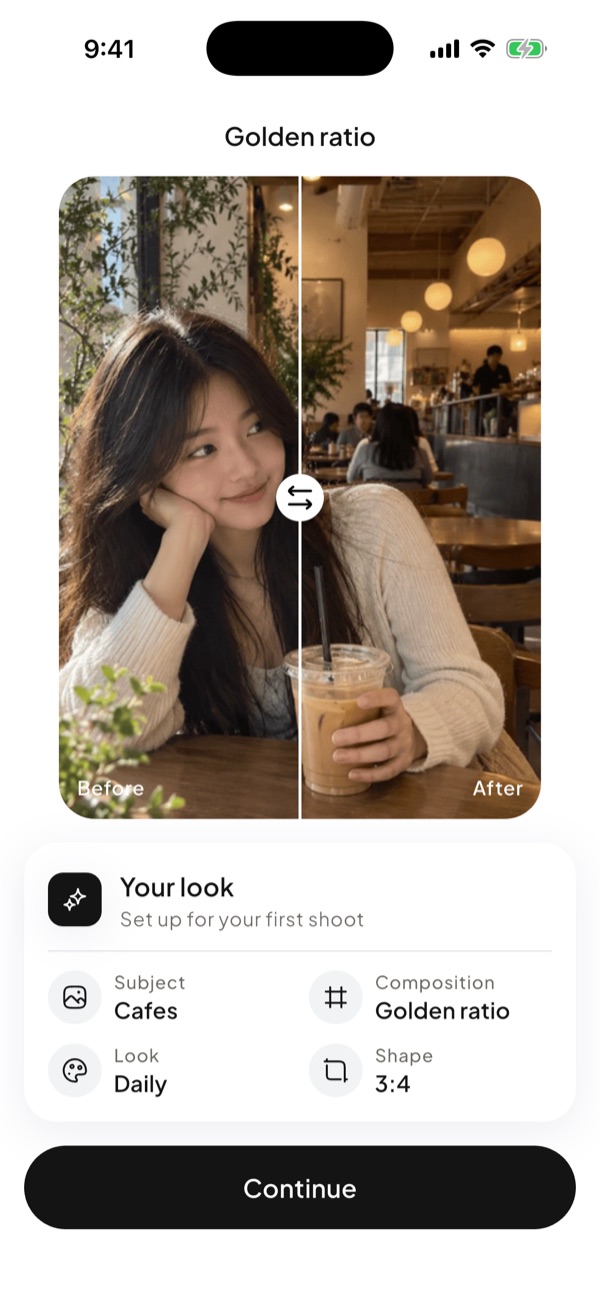
Pick a film-inspired look, compare before and after, then save or share.
Features
Every guide is shown on a real photo of what you shoot: people, food, scenery, city, pets or cafes. See the result before you take the shot.
Rule of thirds, golden ratio, leading lines, frame in frame and more. Each subject gets the 15 that suit it best, easiest first.
Warm, clean, vintage, moody, dreamy or bold. See your own photo in every look before you choose.
Instagram, TikTok or Pinterest: the right photo shape is ready, with safe-zone hints for your feed.
Lens buttons, tap to focus, drag for brightness, flash and timer, right where you expect them.
No account, no upload. Your photos stay on your iPhone, and the guide is never saved into them.
Screens
FAQ
Yes. Every subject comes with free guides and looks. You can also try every Pro guide and look for free; one payment unlocks saving and sharing those photos. There is no subscription.
No. Beginner Cam was made for people who are just starting. Pick what you are shooting, line your subject up with the guide, and press the shutter.
No. There is no account and no upload. Your photos stay on your iPhone, and the guide lines are never saved into them.
Any iPhone running iOS 16 or later.
Beginner Cam is on iPhone today. An Android version is planned.

Free on iPhone. No account, no subscription.